Step 1 — Go to supabase.com and create a free project Step 2 — Go to Project Settings → API Step 3 — Copy Project URL and anon public key into the fields below Optional — In Authentication → Settings disable Email confirmations
Project URL
Anon Public Key
NAT·AI
by natouche
Email
Password
Forgot your password? Reset
NAT·AI
✦ natouche.design
The AI atelier by Natouche
We don’t just render. We design lives.
Nine precision AI tools for architects and interior designers — from a floor plan to an editorial-grade render, from a moodboard to your client’s exact space.
01Signature tools
→Members
Most preciseMaterial & Texture
Click the exact surface, attach a sample of the marble, tile, or wood — only that surface changes. The rest of the photo stays untouched.
→Members
SignatureMoodboard → Render
Your moodboard products, placed in a photo of your real space — exact pieces, colours, and materials, arranged by an AI design brain.
→Members
FlagshipSmart Room Render
Upload a floor plan + moodboard. Every room is detected and rendered individually, true to the space.
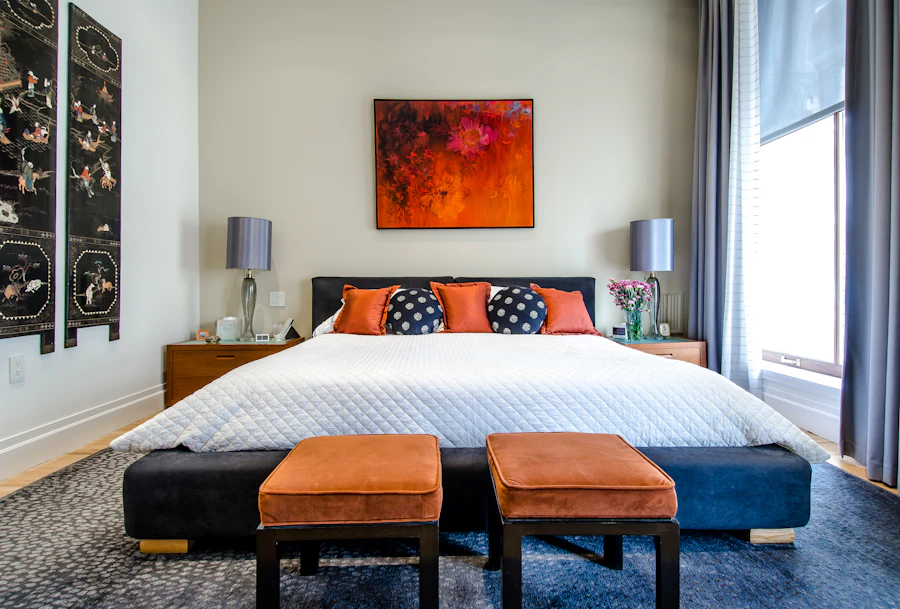
“velvet bedroom, calacatta walls, brass details…”
→Members
RenderingRender Studio
Describe the space in words — receive an editorial-grade photorealistic render. Full control of materials and light.
02Creative tools
→Members
CreativeSketch → Render
A hand sketch becomes a photorealistic render — same geometry, same lines, real light and materials.
→Members
CreativeStyle Transfer
Borrow the aesthetic of any reference image and apply it to your render — new mood, same room.
→Members
ArchitectureFloor → Furnished
One floor plan in — a furnished render out for every room detected. Instant first concepts.
03Refinement
→Members
RefinementLighting & Ambiance
Day, dusk, golden hour, or night — the same room re-lit with cinematic atmosphere.
→Members
RefinementUpholstery Change
Mark a piece, choose a fabric — the sofa changes, the room does not. Test variants in seconds.
✦
Welcome to NAT·AI
Your account is on the list. Tools unlock once we approve your access — you'll receive a confirmation email. Thank you for your patience.
NAT·AI is in early access. Payments open soon — for now, access is granted manually to selected members.
Plans & Pricing
Professional AI tools for architects & interior designers. Launching soon — create your account now and lock in launch pricing.
Starter
For exploring & small projects.
$8/mo
100 credits / month (~33 renders)
All 9 design tools
2K render quality
Commercial license
Private gallery
Professional
For freelance designers.
$25/mo
350 credits / month (~116 renders)
All 9 design tools
2K render quality + 4x upscale
Point & Edit precision tools
Commercial license
Private gallery
Most popular
Studio
For professionals & power users.
$35/mo
450 credits / month (150 renders)
All 9 design tools
2K render quality + 4x upscale
Point & Edit precision tools
Early access to new tools
Commercial license
Private gallery
Elite
For studios that need volume.
$79/mo
1,000 credits / month (333 renders)
All 9 design tools
2K render quality + 4x upscale
Point & Edit precision tools
Early access to new tools
Priority rendering & support
Commercial license
Each render uses 3 credits — same as leading platforms, but on a superior model (Nano Banana Pro) and at a lower price. Launch pricing — early accounts lock in these rates. Annual billing: 2 months free.
Smart Room Render — Flagship
Floor Plan + Moodboard → Render per Room
AI reads your floor plan, detects every room, and generates renders tailored to the real space.
1
Upload
2
Analysis
3
Rooms
4
Render
Floor plan
📐
Attach floor plan
PNG, JPG — architectural plan
Main Moodboard
🎨
Attach moodboard
Products, colours, textures
🔍 Material References (Optional) — for 100% precision
Wallpaper / Wall Finish
🧱
Wall finish
Rug / Flooring
🟫
Rug/Flooring
Key Furniture
🪑
Furniture
💡 Upload separate images for each material type. AI recognizes each one and applies it in the right place.
Test material variants without regenerating the whole render.
Your render / photo
◧
Attach render
💡 Click on the photo to mark each surface to change — as many markers as you need (2 walls + floor, a niche…). Click a marker to remove it. You can reference numbers in your instruction: “markers 1‑2: marble, marker 3: oak”.
Material sample (optional — a photo of the exact tile, marble, wood, or fabric to use)
Upload just the plan. AI detects the rooms and generates furnished renders for every space.
Floor plan
📐
Attach architectural floor plan
PNG, JPG
Design style
◻
Minimalist
◆
Contemporary
⚜
Classical
❄
Scandinavian
⚙
Industrial
🌿
Japandi
Material preferences (optional)
Generated renders
Multi Angle View
Coming soon — 4 different angles from a single reference render.
Shop the Look — New
Render → Shopping List
Upload a render — AI detects every product and finds similar pieces on the market, ready as a branded client PDF.
Your render or photo
🛍
Attach a render
Products found
Collage → Render — New
Place products, keep your exact room
Upload your room photo, drag your products onto it, and AI makes the collage photorealistic — your camera and space stay 100% intact.
Start by uploading a photo of your room. Then add product photos and drag them into place. Tip: cut-out product images (white or transparent background) blend best.
Anthropic — plan + moodboard analysis (required) Google Gemini — recommended for Smart Room — the only option that sees the plan + moodboard simultaneously and reproduces exact products. Free on aistudio.google.com → Get API key FAL.ai — high-quality rendering for the other tools
Anthropic API Key
console.anthropic.com → API Keys → Create Key
Google Gemini API Key ★ Smart Room
aistudio.google.com → Get API key → Create API key (free)
FAL.ai API Key
fal.ai → Dashboard → API Keys
Together.ai API Key (alternativa economica)
api.together.ai → Settings → API Keys
OpenAI API Key (optional)
Motor de render (celelalte tool-uri)
✓ Salvat
Securitate
Cheile sunt salvate local in browser (localStorage) si trimise securizat prin serverul Netlify la fiecare cerere. Nu sunt stocate pe niciun server extern.
Authentication (Supabase)
Configure the Supabase project for login/register. supabase.com → Project Settings → API
Project URL
Anon Public Key
Project Settings → API → anon public
Admin email (your email)
Enables the admin panel with the user list
✓ Salvat
Users — Admin Panel
Loading...
Pentru a activa schimbarea de pachete, adauga in Netlify Environment Variables: SUPABASE_URL · SUPABASE_SERVICE_ROLE_KEY · ADMIN_EMAIL